
Build an Exercise Library for Your Clients: Where to Start
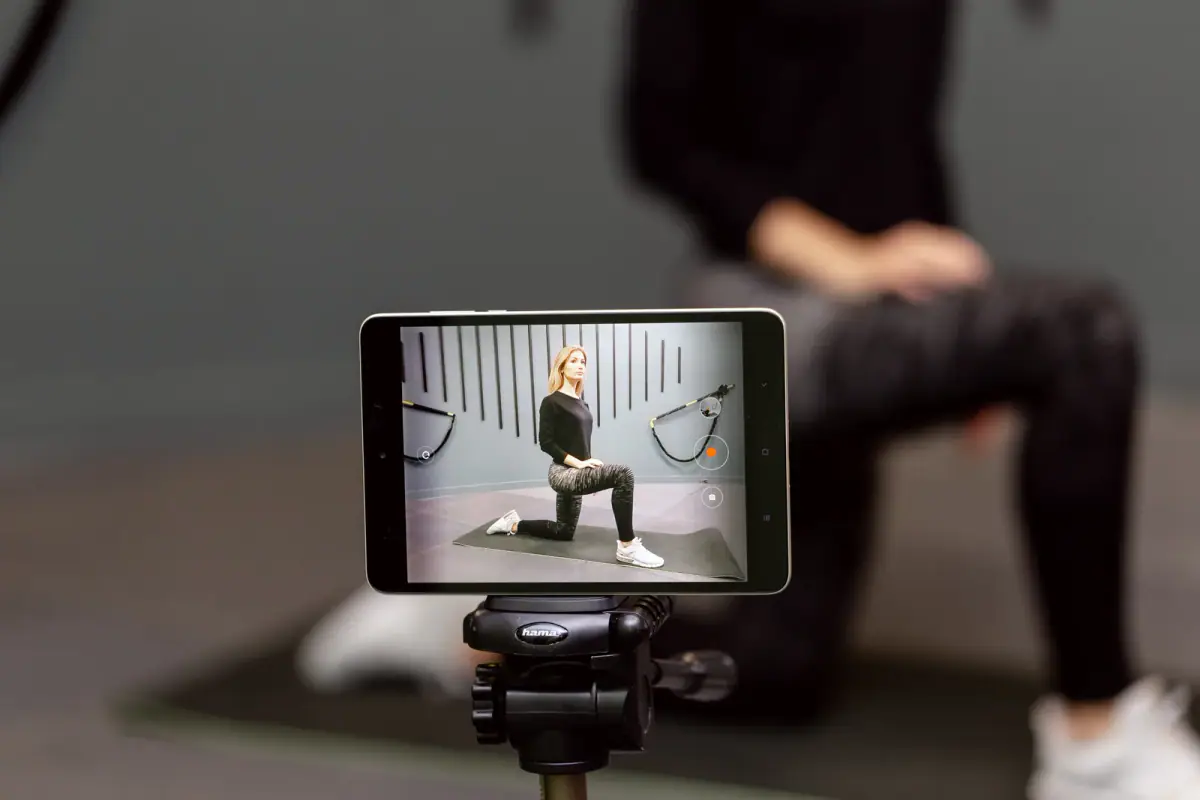
To build an exercise library for your clients, start with about thirty core movements, film each as a ten to thirty second demo with one coaching cue and organize them by movement pattern. That set covers most clients, and once it exists a program takes minutes to assemble instead of an hour. Claim your free first hour and film your first batch of demos in a private room with good light.
Start small and organized
A big library built all at once rarely gets finished. Start with the movements you use every week and group them by pattern:
| Pattern | Examples to include |
|---|---|
| Squat | Goblet squat, box squat, split squat |
| Hinge | Romanian deadlift, hip thrust, kettlebell swing |
| Push | Push-up, dumbbell press, overhead press |
| Pull | Row, lat pulldown, band pull-apart |
| Carry | Farmer carry, suitcase carry |
| Core | Plank, dead bug, side plank |
| Mobility | Hip opener, thoracic rotation, ankle drill |
Four or five movements per pattern gives you roughly thirty. Add variations only when a client needs one, such as a regression for a beginner or a progression for an advanced client.
What each demo should contain
Keep every entry the same shape so clients know what to expect:
- A title using plain names.
- A short video of ten to thirty seconds, from a front or side angle.
- One cue. The single most useful thing to remember.
- One common mistake to avoid.
- Easier and harder options in a line each.
Resist the urge to explain everything. A client watching a demo on a phone wants to see the movement and remember one thing.
Filming well
Quality matters less than clarity, but a few habits help:
- Film in landscape with the whole body in frame.
- Use steady light and a plain background.
- Keep the phone at hip height or on a small tripod.
- Record two takes and choose the better one.
- Speak the cue clearly, or add it as text.
A private space makes this much easier. With no one walking through the frame, you can film a dozen demos in a single hour. FlexWerk Carmel rooms are deliberately comfortable to film in, with controllable lighting and music streaming, and a fitness professional’s first booked hour is free, which makes it a natural place to record your first batch. Related workflow ideas are in filming workouts without an audience.
Organize so you can find things
The library is only valuable if you can find a movement in seconds. A few tips:
- Name consistently. “Goblet squat” always, never “squat with dumbbell” in one place and “DB goblet” in another.
- Use folders by pattern and a simple search.
- Add tags such as “beginner,” “no equipment” and “travel.”
- Link from programs. If a program points to a library entry, the client sees the demo in one tap.
If this, then that
- If a client is traveling, pull the no-equipment tag, as in programming for a client who is traveling.
- If a client trains alone between sessions, send three library links with each plan; see between-session workouts.
- If a client keeps doing a movement wrong, record a short custom clip with their permission.
- If you add a new exercise, add it to the library the same week, so the library grows with your practice.
Keep it current
Review the library every few months. Retire movements you no longer use, replace unclear videos and add what clients ask about. A library of twenty-five well-made demos is worth more than a hundred rushed ones.
Pick the seven movements you assign most often and film them this week.
Related questions
How many exercises should the library start with?
About thirty covers most clients: a handful for each of squat, hinge, push, pull, carry, core and mobility. Add new ones only when a client needs them.
How long should each demo video be?
Ten to thirty seconds is enough. Show the movement from one or two angles and add a single spoken cue.
Do I need the client's permission to record them?
Yes, if the client appears in a video. Start with yourself as the demonstrator and ask for written permission before filming anyone else.